Snag It. Tag It. Sorted.

The simple, low-cost way to track construction snags on-site. SnagTags makes defect management easier.Ā 

Snagging Tools
Trusted by Contractors, Developers & Maintenance teams across the UK.

A Simpler Way To Manage Snags

No more WhatsApp photo trails

Issues are logged in one place, not buried in group chats.

No more duplicate snag lists

One live list on site. No spreadsheets. No double entry.

Clear ownership on site

One live list on site. No spreadsheets. No double entry.

Faster close-out and less chasing

Updates happen on site in real time. Close-out is faster.

Why People Use SnagTags

We believe snagging should be clear, visible, and simple. SnagTags makes every snag visible on-site — so teams fix faster and handovers run smoother.

Visible | Simple | Accountable

Designed for Real Sites

Built to handle dust, weather, and fast-moving jobs. Durable, simple, and made for real construction environments

Perfect for Teams

Everyone sees what’s been logged and who’s responsible. Clear accountability, no confusion, no repeated conversations.

Highly Visible

Bold colours and large numbers make issues impossible to miss. Snags stay seen until resolved — not forgotten

Eco-Friendly Option

Sticker tags minimise material waste and packaging. Lightweight, low cost, and lower environmental impact.

Reporting Dashboard

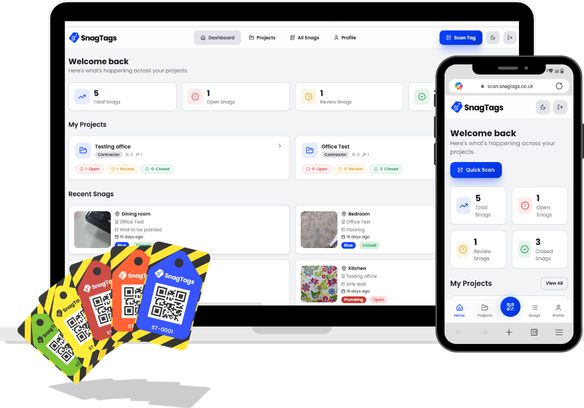
One shared view of every snag. Track Open / In Progress / Completed without spreadsheets or chasing updates.

Clear Close-Out

Contractors upload photos when work is completed, and you verify instantly. Transparent, traceable, and accountable.

Stop Paying Per Person. Start Paying Per Project.

The only other alternative to photo snagging, written snag lists, and video snagging wasĀ expensive software subscriptions, typically costing Ā£1,000s per year, until now.Ā The fastest path to defect resolution shouldn’t be the most expensive. Compare the Total Cost of Ownership for the most popular construction defect management platforms.

Compare SnagTags to Fieldwire and Procore alternatives

Features/Model
SnagTags

snagtags logo
PlanRadar
Fieldwire
Procore
Price
£ 29.99
Per Pack
£ 276+
Per User Annually
£ 396+
Per User Annually
£ 5,000+
Based on ACV
Primary Pricing Model
Fixed Price Per Tag Pack (Per Project/Trade)
Per Licensed User (Annual Contract)
Per Licensed User (Monthly/Annual)
Based on Annual Construction Volume
Cost to Add New Active User
Ā£0 / Unlimited
Ā£23 – Ā£119+ per user/month
£33 - £76+ per user/month
Ā£0 / Unlimited (Built into the massive ACV)
Recurring Hidden Fees
None (Updates included)
Yes (e.g., 4% Innovation Fee annually)
Yes (Overage Fees / Feature Limits)
None (Included in ACV)
Initial Setup Fee
None (Self-Service PWA)
High (Mandatory Setup Consultation)
Low to Medium
Very High (Mandatory Implementation Fee)
Deployment Time
Instant (QR Scan & PWA)
Weeks
Days/Weeks
Weeks/Months
Focus on Snagging Only
Yes (No financial/scheduling clutter)
No (Includes BIM, Scheduling, Forms, Diaries)
No (Includes Plan Viewing, Tasking)
No (Includes all Financials, RFIs, etc.)
Multi-Trade/Pack Linking
Yes (Core feature of the tags)
No (Requires manual project structure setup)
Yes (Standard project feature)

Why SnagTags come in Different Colours

SnagTags are flexible — use them in the way that works best for your site.

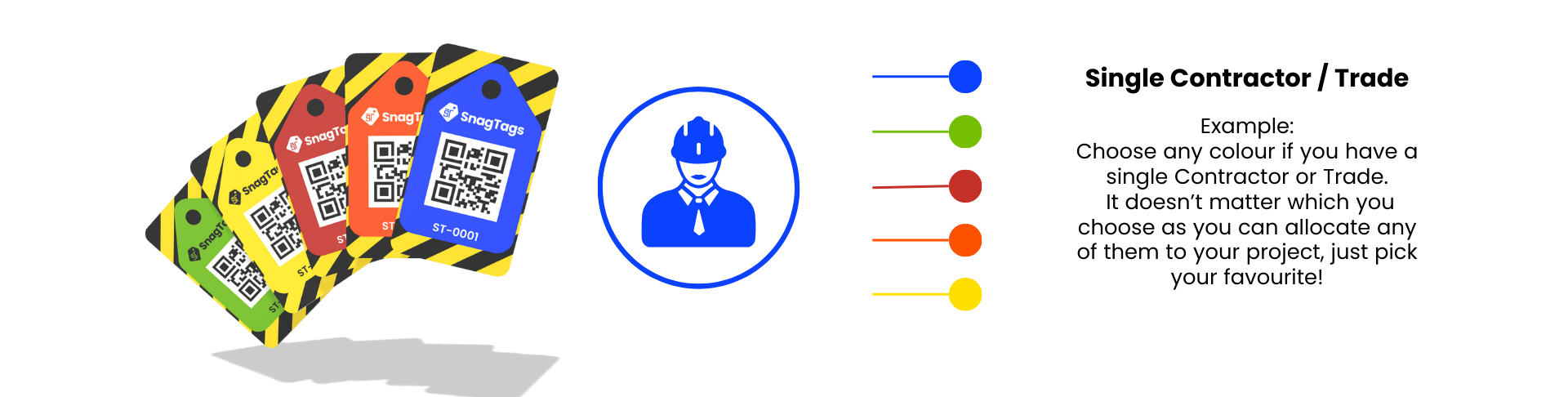
One Trade?

Choose One Colour
If you work with a single contractor or trade, you can keep things simple by choosing just one colour for your entire project.
SnagTags

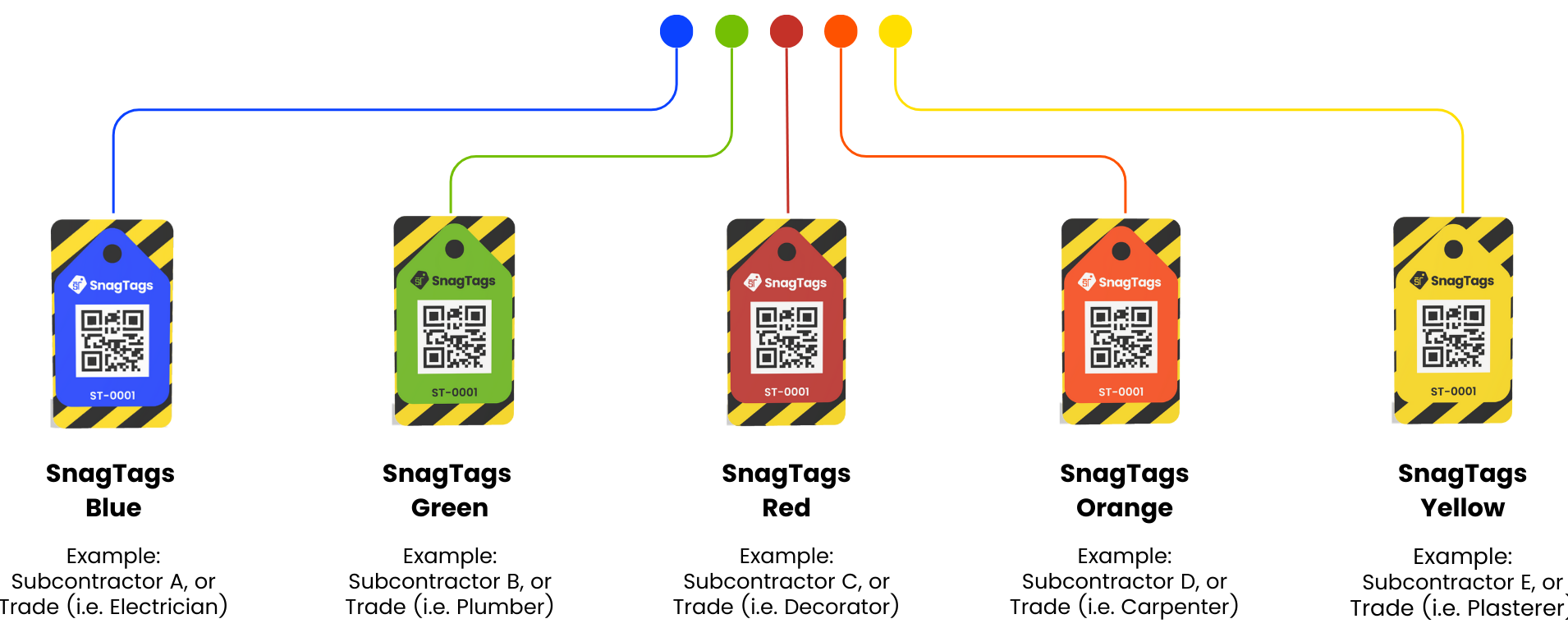
Multiple Trades?

Choose One Colour Per Trade
Assign each trade a different colour (e.g., Electricians = Blue, Plumbers = Green, Carpenters = Orange). This makes it instantly clear who is responsible for each snag — no confusion, no chasing.
SnagTags

SnagTags are available in five high-visibility colours, blue, red, green, orange and yellow. Allowing you to assign each colour to a specific trade or contractor. This means when you walk the site, you can instantly see who each construction snags belongs to — no confusion, no chasing, no excuses. Just pick your colours, apply your tags, and every team knows exactly what needs doing.

SnagTags Single Colour Example Workflow

SnagTags Multi-Trade / Colours Example Workflow

SnagTags Workflow

Place

Place the tag next to the snag on site.

Scan

Scan to log the issue and assign it instantly.

Close

No logins or apps needed. Scanning the tag does everything.

Purchase SnagTags Pack

Choose your preferred colours and pack size to match your project and trades.
Step 1

Scan QR Code

Scanning the first tag starts the process and allows you to begin using SnagTags.
Step 2

Apply SnagTags

Stick a tag next to any defect or issue. The bright colour makes it instantly visible.
Step 3

Scan to Log the Snag

Scan the tag to record photos, notes, location, and trade responsibility.
Step 4

Trade Updates the Snag

The contractor scans the same tag, uploads completion proof, and marks it for review.
Step 5

Review in Dashboard

Status updates automatically. See Open / In Progress / Completed snags at a glance.
Step 6

Snag it. Tag it. Sorted.

Apply for a Free Sample Pack

SnagTags Support & Resources

Quick Start Guide

Step-by-step instructions on setting up your tags, scanning, logging snags, and closing them out efficiently.

Short How-To Videos

Simple training videos that explain scanning, adding photos, updating statuses, and reporting — perfect for busy sites.

Feature Updates

New features, upgrades, print options, and workflow improvements based on real feedback from customers.

The Benefits of Digital Snagging Tools for Contractors

Construction projects are complex beasts. With hundreds of moving parts, managing the final stages of…

The Ultimate Snagging Checklist for Contractors

Finishing a construction project often comes down to one final, critical stage: snagging. This process…
Snagging vs Defects: What’s the Difference Between Them

Snagging vs Defects: In construction, the terms snagging and defects are often used interchangeably, but…

Frequently asked questions

What is a Snag?

A snag is a defect, issue, or minor problem identified during an inspection. It’s an imperfection that needs to be fixed before a product, project, or property is considered complete or fully accepted.

For more guidance on construction snagging best practices, visit the official UK Construction Leadership Council:
https://www.constructionleadershipcouncil.co.uk

How do I set up SnagTags on a new project?

Purchase a SnagTags pack, scan the QR code provided inside, and follow the prompts to assign the tags to a new or existing project. Setup takes under 2 minutes.

Do I need an app or special software?

No. SnagTags works in any web browser. Contractors just scan the tag with their phone to open and update the snag. No downloads. No training required.

How do trades update snags on site?

They scan the tag, add photos/notes, mark progress, and upload completion proof. The status updates in real time on your dashboard.

Can SnagTags work across multiple trades on one project?

Yes. Tags can be assigned to specific trades. When scanned, the interface clearly shows which trade the tag belongs to so mistakes are avoided.

What if another trade scans it by mistake?

They’ll immediately see the trade assignment on screen. This prevents accidental updates and keeps responsibilities clear.

What happens if a SnagTag gets lost or removed?

The snag is still active in the dashboard. Contractors can select and update the snag manually from the project’s snag list — no tag required to continue tracking.

When is the best time to check for snags?

Snags are typically identified during a Snagging Inspection, which is performed right before the official handover or acceptance of the product or service. Alternatively, best practices for snags are conducted before a trade is completed i.e. after first fix electric etc.

Can I track progress and completion status?

Yes. The dashboard shows Open, In Progress, and Completed snags at a glance. Ideal for site managers, QSs, and client handover reports.

How should I assign colours to trades?

There’s no fixed rule, but a common site setup is (Choose what fits your workflow):

  • Blue– Electrical

  • Green– Plumber

  • Red– Decorator

  • Orange – Carpenter

  • Yellow – Plasterer

Are there ongoing costs or subscriptions?

No. SnagTags packs are a one-time cost. No SaaS fees. No renewal charges. If you need additonal SnagTags simply purchase the quantity you need and assign it to your existing project.

Can my pack of SnagTags be used on multiple projects?

No. You have to register a pack to a project, if you need tags for another project simply purchaee another pack.

Are the SnagTags weatherproof and durable?

Yes. The stickers are made from weather-resistant material designed to handle dust, moisture, and site wear.

What if I need more SnagTags mid-project?

You can order additional colour packs anytime. They can be added to your existing project by scanning the setup QR code again — no reconfiguration needed.

Your Free Trial Pack is Waiting. Claim It Now!